01
Pages
Edit headings, copy, images and SEO descriptions in one place.
OJ CMS / CONTENT MANAGEMENT
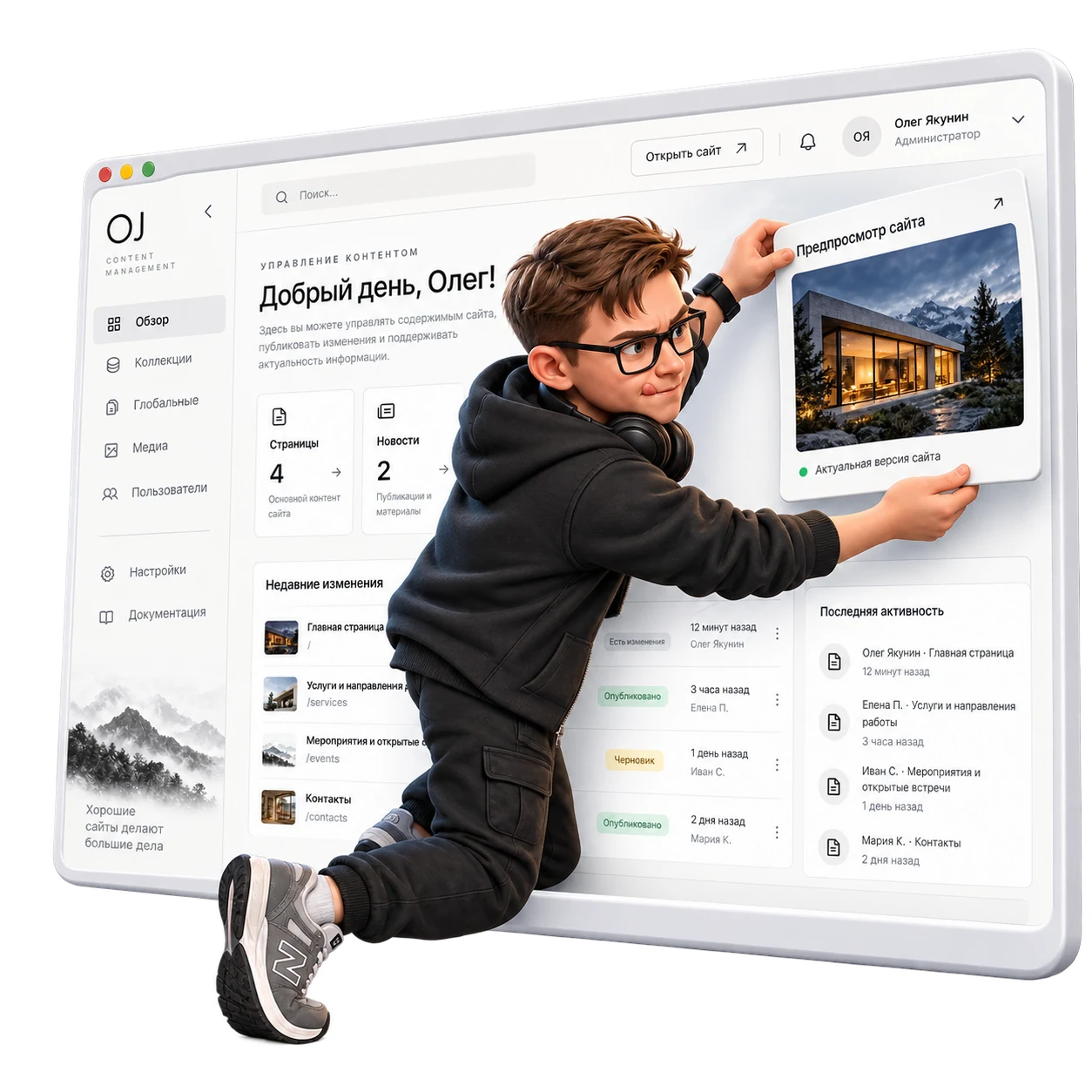
OJ CMS is my Payload-based system for teams managing a website. At KEMZ it already manages the catalog, news and documents, stores inquiries and displays Yandex Metrika analytics. I tailor sections, fields and permissions to each business.
The demo is hosted on Vercel and may require a VPN on some networks. Changes stay in your browser only; it is not connected to your website.
01 / FOR YOUR TEAM
Editors need clear actions and a visible result. OJ CMS follows the work of maintaining a website:

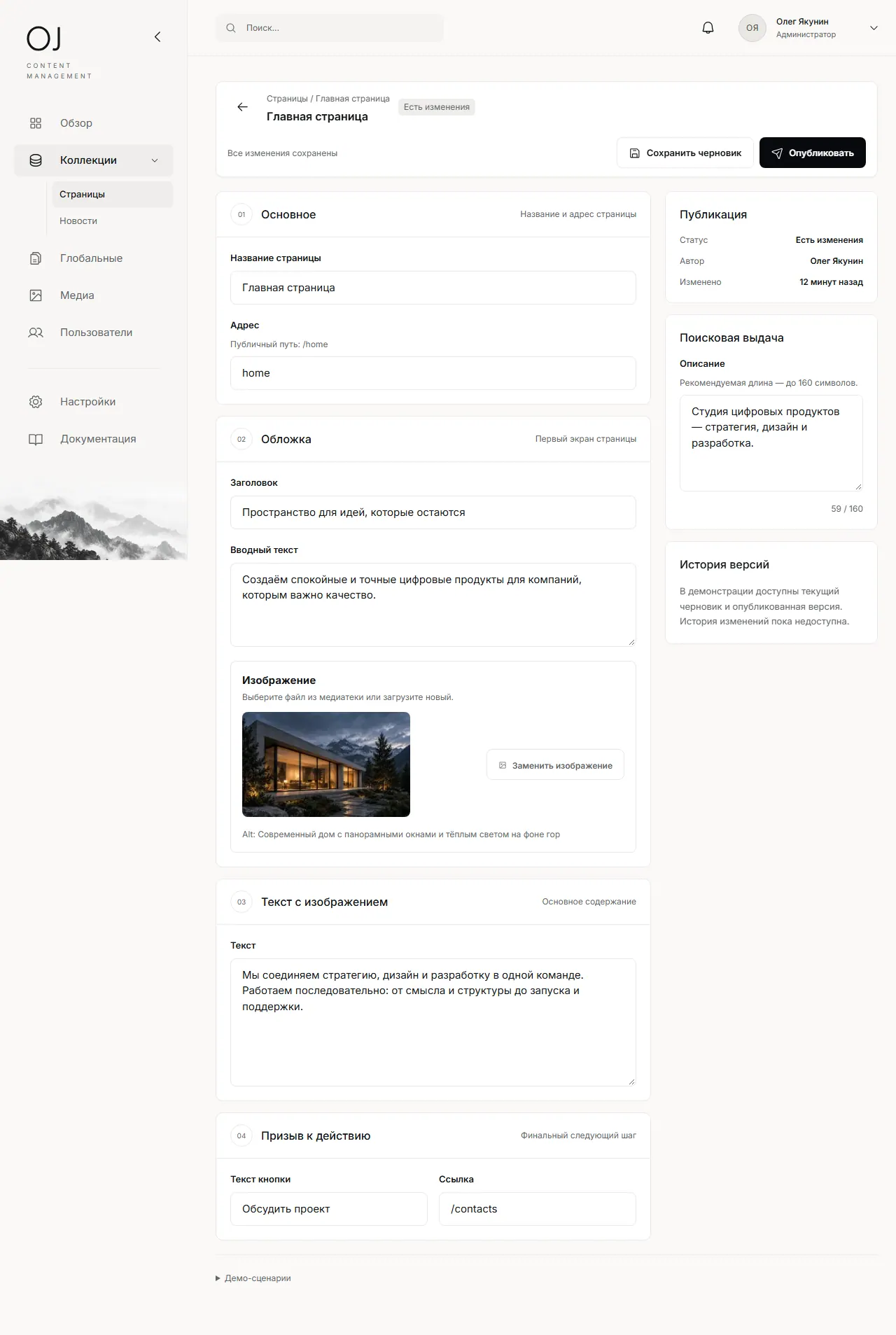
Edit headings, copy, images and SEO descriptions in one place.
Prepare posts and keep new material in its own section.
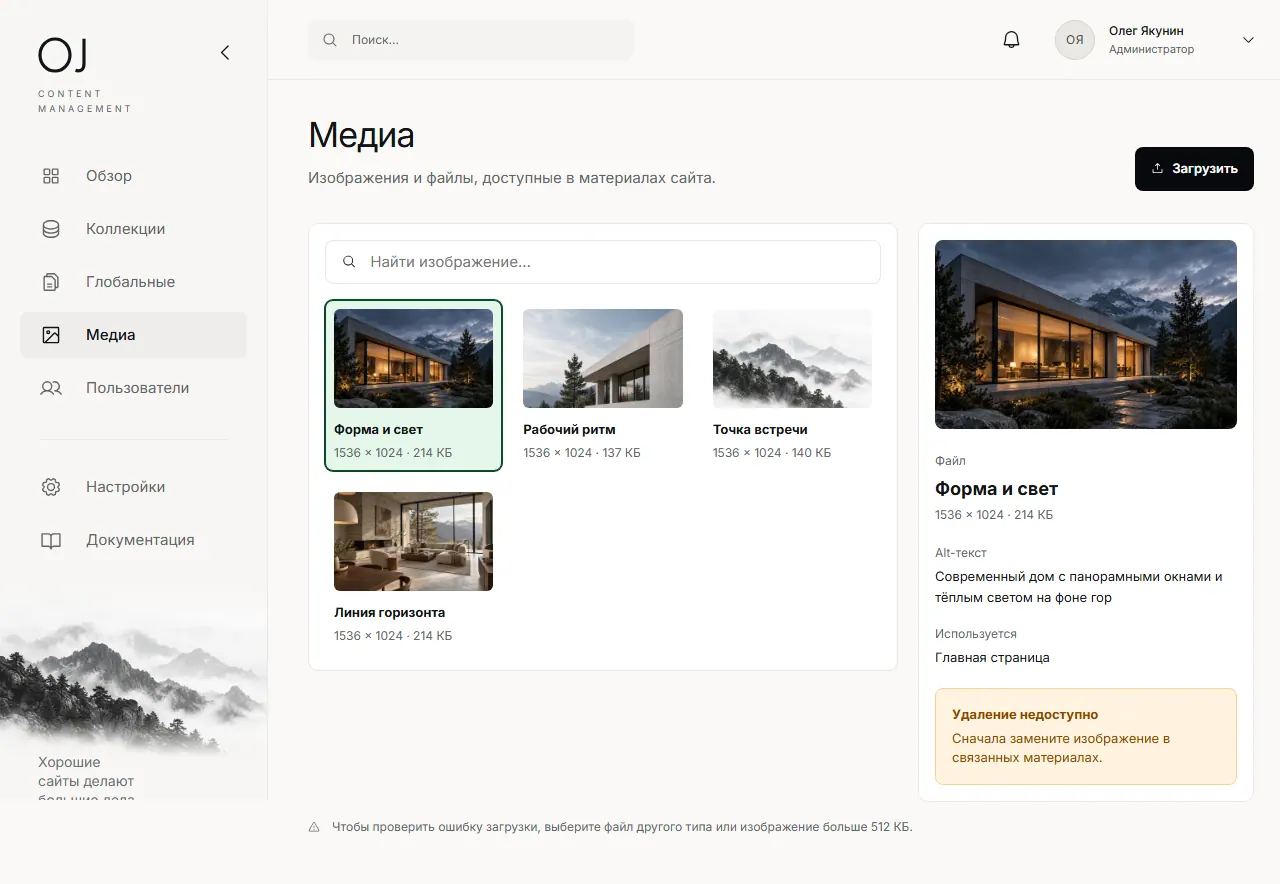
Upload images, add descriptions and find files in the library.
Save a change, inspect the page and publish with a separate action.
Update contact details, the site name and navigation without editing code.
02 / EDITORIAL FLOW
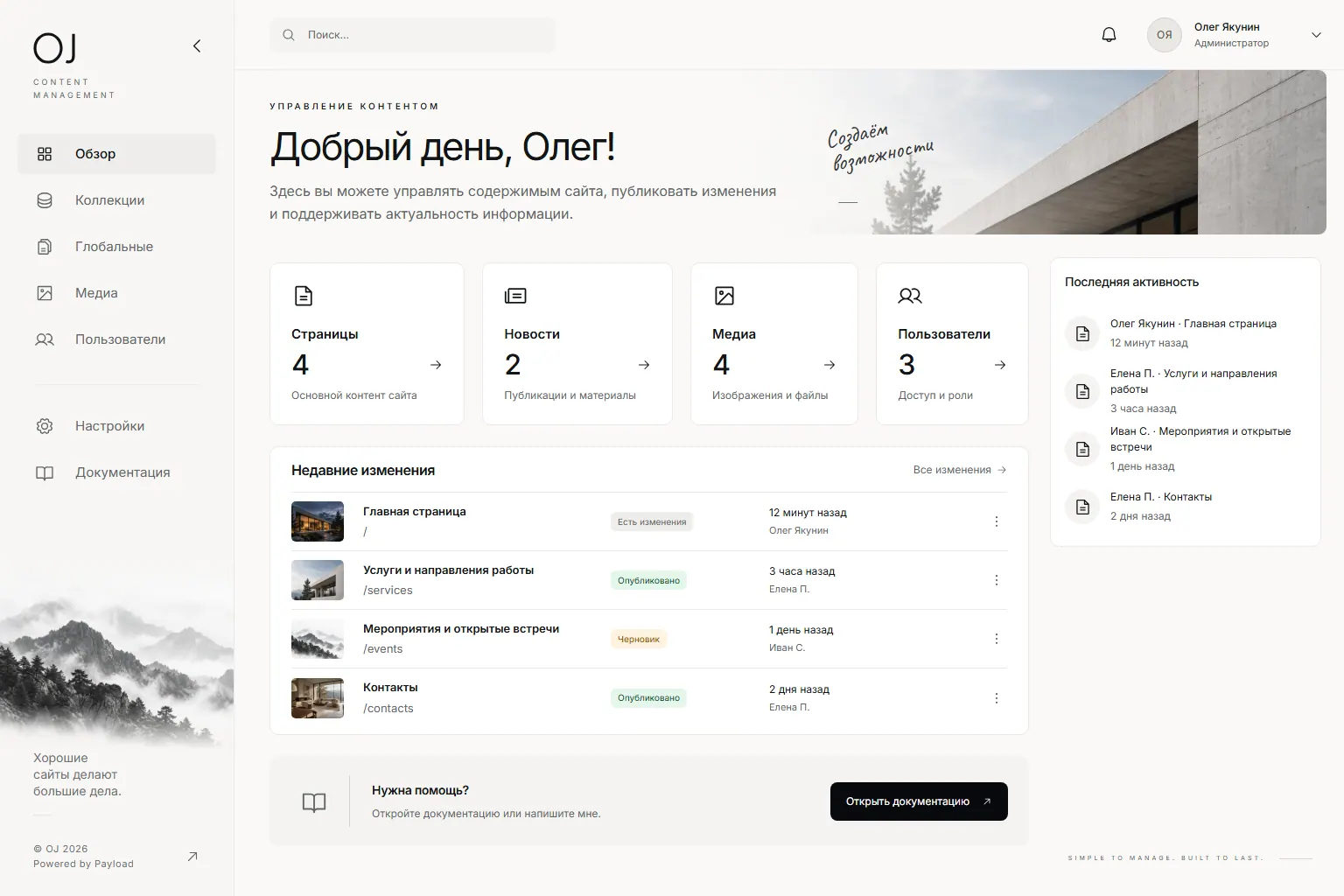
These are real screens from the OJ CMS demo. Open it and try the same workflow.
The dashboard shows sections and recent changes.
Save a draft and get a warning before leaving with unsaved changes.
Images live in a library, and a file used by a page cannot be deleted accidentally.
03 / TECHNOLOGY
Payload is an open-source CMS providing server storage, APIs and access rules. OJ CMS builds on it with my own interface, dashboard and team-specific workflows. At KEMZ this setup already handles the catalog, inquiries and Yandex Metrika. The separate browser demo shows the editing workflow without access to factory data.
Explore Payload documentationOpen-source collections and fields model pages, posts, products and other content.
I design a focused editor on top: quick access to content, drafts, preview and safeguards against accidental changes.
A live implementation defines staff access and publishing rules; Payload supports versions and drafts.
Published content reaches the bespoke public website through an API.
OJ CMS / LIVE AT KEMZ
For the KEMZ website on Next.js and React, I integrated Payload and adapted OJ CMS to the factory’s workflows. These are actual implementation screens.
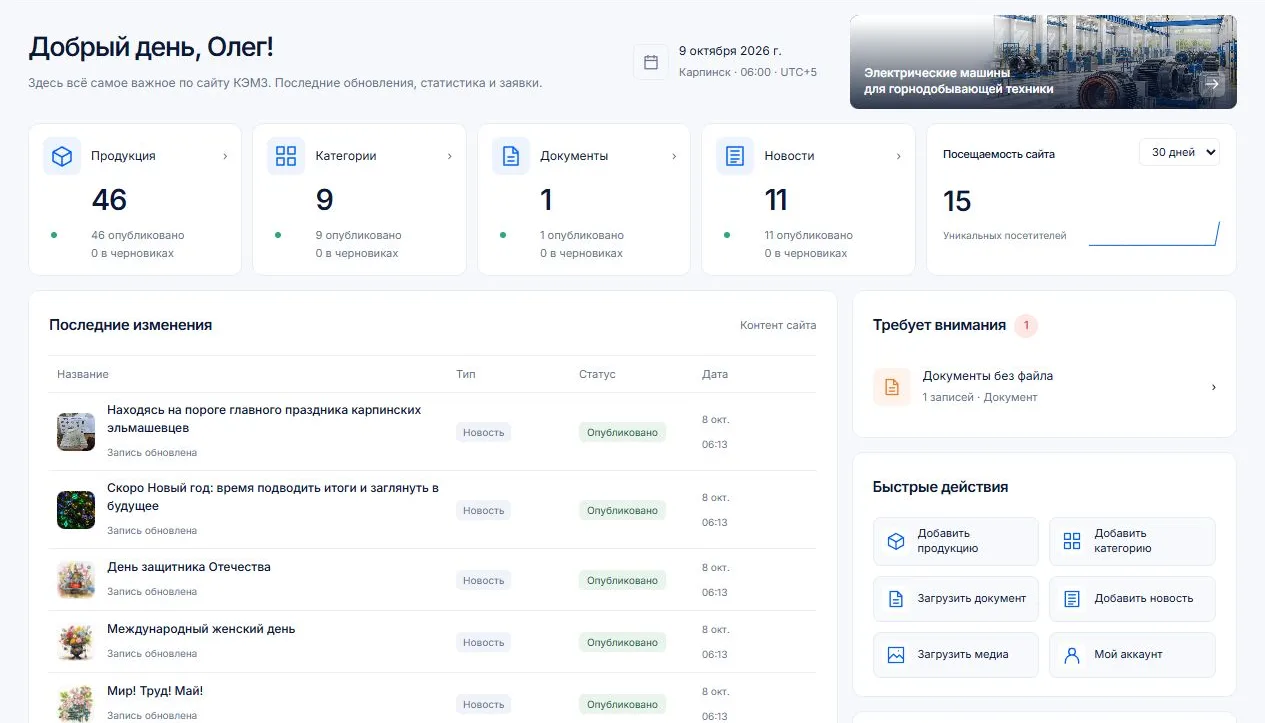
Products, categories, news and documents live in OJ CMS, built on Payload. Content has publishing states, and product edits can be saved as drafts.
Website inquiries are saved before an email notification is sent. Editors can view them; processing and deletion are reserved for administrators.
The Yandex Metrika API brings visitors, visits, page views and popular pages into the dashboard, with a selectable reporting period.
04 / CURRENT STATE
Edit pages and news, work with media, save drafts and open previews. Data stays in each visitor's browser. Switching roles illustrates the interface but does not replace server authentication.
Catalog, categories, news and documents are stored on the Payload server. OJ CMS provides publishing states, website inquiries and Yandex Metrika API analytics. Sections and integrations are configured separately for each client.
05 / USE CASES

Update services, cases, news and contact details without a development ticket for every small change.

Products, specifications, categories and images need structure and a clear update process.
Several authors prepare material, review changes and publish under agreed rules.
06 / IMPLEMENTATION
Identify which sections change, who owns them and what needs review before publishing.
Define content types, relationships, roles and the path from draft to public site.
Link the editor to the site, test publication and walk the team through everyday tasks.
Tell me about your pages, content and editors. I will suggest a content model and explain what a production integration would take.