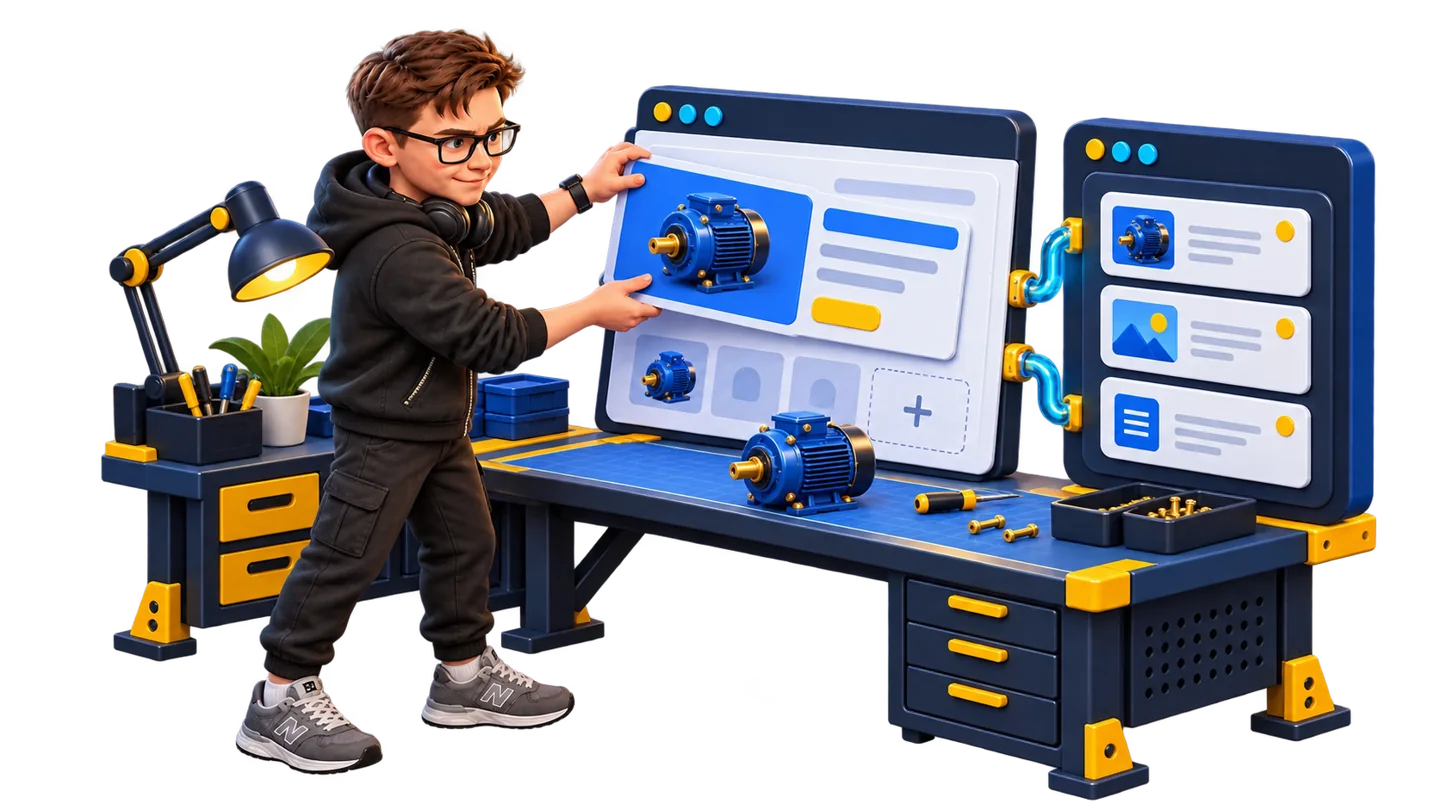
01 / OJ CMS
Your business grew. The template stayed the same.
A new product, a new section or a sales integration should move your business forward. When every change turns into another workaround, it is time to rethink the website’s architecture.
I build around customer tasks: understanding your offer, choosing a product, trusting the company and sending an inquiry. I design the experience, develop it in Next.js and connect OJ CMS for content management.
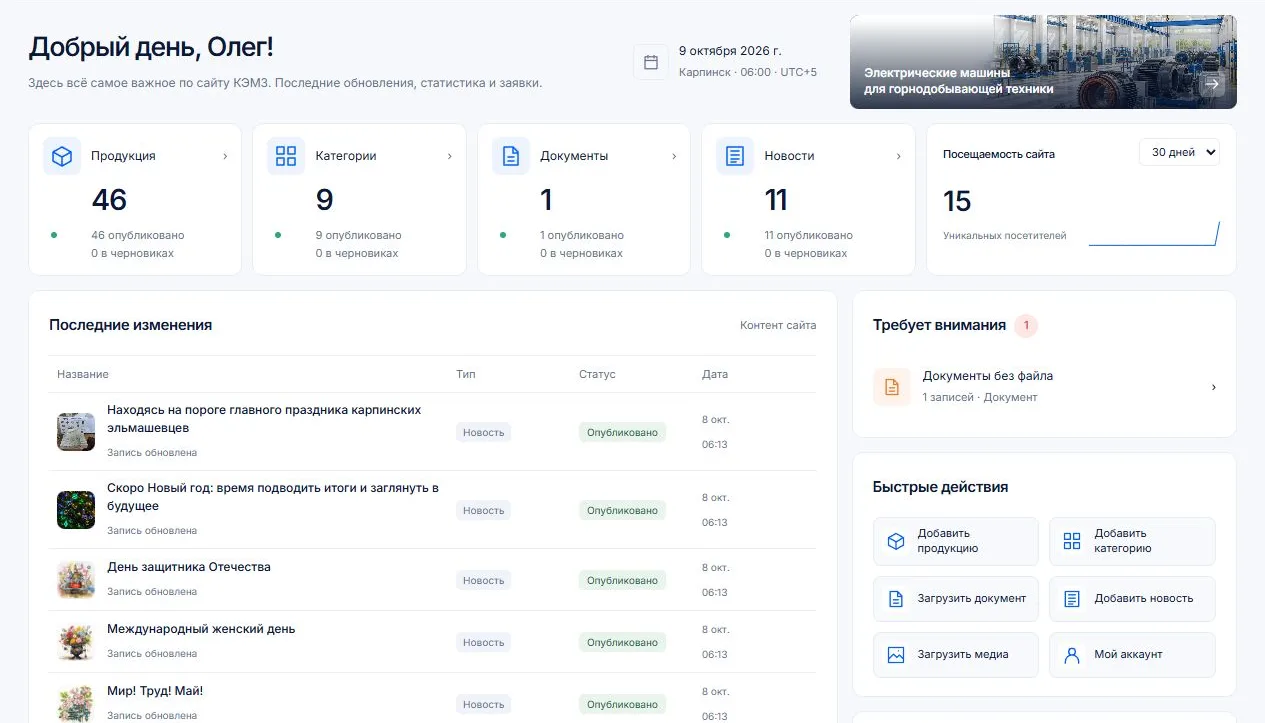
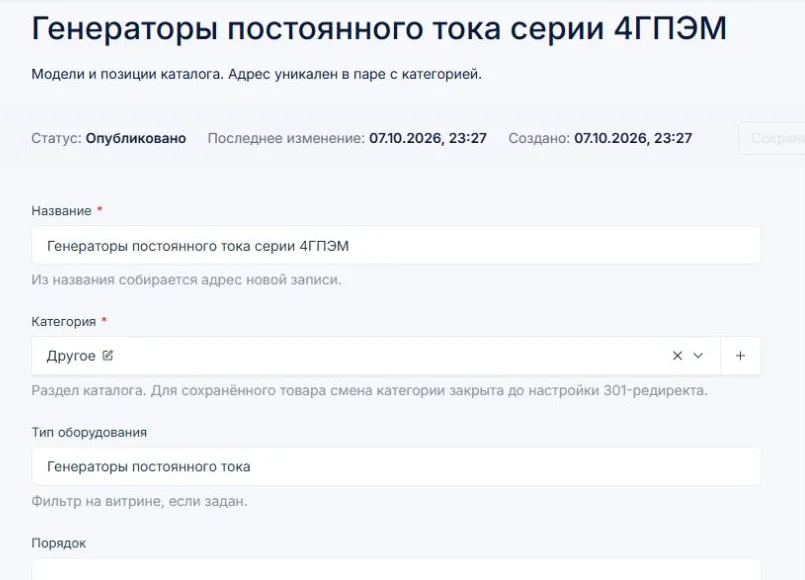
That is the approach behind the new KEMZ website. I rebuilt the plant’s old site with Next.js and React, connected Payload and tailored OJ CMS to the equipment catalog. The team manages products, categories, documents and news in its own dashboard. Website inquiries are stored in the CMS, with Yandex Metrica data available alongside the content.
02 / OJ CMS
Payload CMS: content and design can evolve separately
Payload is an open-source TypeScript platform I use as the backend foundation. It provides an admin panel, database operations, APIs, authentication and access rules. I configure it around your actual data: equipment, specifications, documents, articles and inquiries.
The headless approach separates stored content from the public interface. An editor updates a motor’s name or attaches a PDF; the visitor sees it inside a purpose-built product page. Your visual identity is not tied to a CMS theme.
This creates room for product comparisons, customer accounts, selection tools and integrations. Payload can run on your chosen infrastructure. The core is open source; development, hosting and maintenance form the project’s operating costs. Read Payload’s documentation.
Design, navigation, catalog and customer interactions
Data, APIs, authentication and access rules
Custom interface, content, inquiries and analytics
03 / OJ CMS
OJ CMS turns the foundation into your team’s workspace
OJ CMS is my custom interface and set of extensions built on Payload. Payload supplies the backend; I design the fields, navigation, screens and integrations for the business. Editors work with their own content model rather than a maze of unrelated settings.
An equipment catalog needs products, categories and technical documents. A publishing project needs articles, authors and media. I map those relationships before building the pages so routine content changes do not require editing HTML.
The KEMZ implementation brings catalog content, inquiries and analytics together. See OJ CMS in more detail ↗
04 / OJ CMS
Why I build this way instead of using Tilda, WordPress or Bitrix
Tilda: move beyond the builder
I start with product architecture and bespoke design. Technical catalogs, selection tools and customer accounts are designed as a coherent application. The business workflow determines the interface.
There is also a concrete ownership difference. Tilda’s export documentation lists catalogs and feeds as non-exportable services; form submissions on exported sites require an active subscription. In my approach, the website, CMS and inquiry handling run within the project’s infrastructure.
WordPress: a coherent system instead of a plugin assembly
A typical WordPress build combines a theme, a visual editor and plugins. Future changes must account for their settings, updates and compatibility. I define the data model, interface components and integrations in the project’s code and adapt the CMS to the editors.
Products link to categories and documents. Forms link to saved inquiries. Analytics appears in the working dashboard. You commission a connected product with an architecture that can evolve.
Bitrix: scope the product around your needs
1C-Bitrix distributes features across commercial editions. I use Payload’s open-source foundation and scope the implementation around the required catalog, content and integrations. Your project is defined by the work it needs, rather than a CMS edition.
My offer is a bespoke website with a purpose-built editorial workspace. That is the product I want to build for your company.
05 / OJ CMS
KEMZ: equipment, inquiries and analytics together
For a manufacturer, content management is daily work: update specifications, attach documents, publish news and understand which pages visitors use. The KEMZ implementation combines those jobs in OJ CMS.
- Products and categories: fields follow the equipment catalog’s structure.
- Documents and news: editors update materials through the dashboard.
- Inquiries: submissions are stored before email notifications are sent.
- Yandex Metrica: the API brings traffic and popular-page data into the admin interface.
06 / OJ CMS
Search starts with how the website is built
Products and categories need stable URLs, clear headings and useful content. I design the structure around buyer questions, specifications and the documents needed before an inquiry.
The implementation covers server-rendered content, metadata, canonicals, sitemaps, breadcrumbs and internal links. Images receive appropriate sizes and formats, while interactive code is kept where it serves the visitor. This gives the project control over loading behavior and technical SEO.
Content can then grow through product pages, customer questions, implementation stories and articles based on the company’s experience. I can plan that content and provide an editorial workspace for it. Explore my SEO and content approach ↗
07 / OJ CMS
From requirements to a website your team can run
You work directly with me. I investigate the product and its customers, map the structure and editorial workflow, design and develop the website, then connect CMS, forms, analytics and integrations. I deploy the project and show the team how to update it.
For a migration, I map existing URLs, redirects, text, images and documents. The new website should continue the company’s work rather than force it to rebuild the catalog from scratch.
You receive a bespoke website, editable content and a clear foundation for future features. Send me your current website or project brief and we can discuss the next version.