A day at preschool
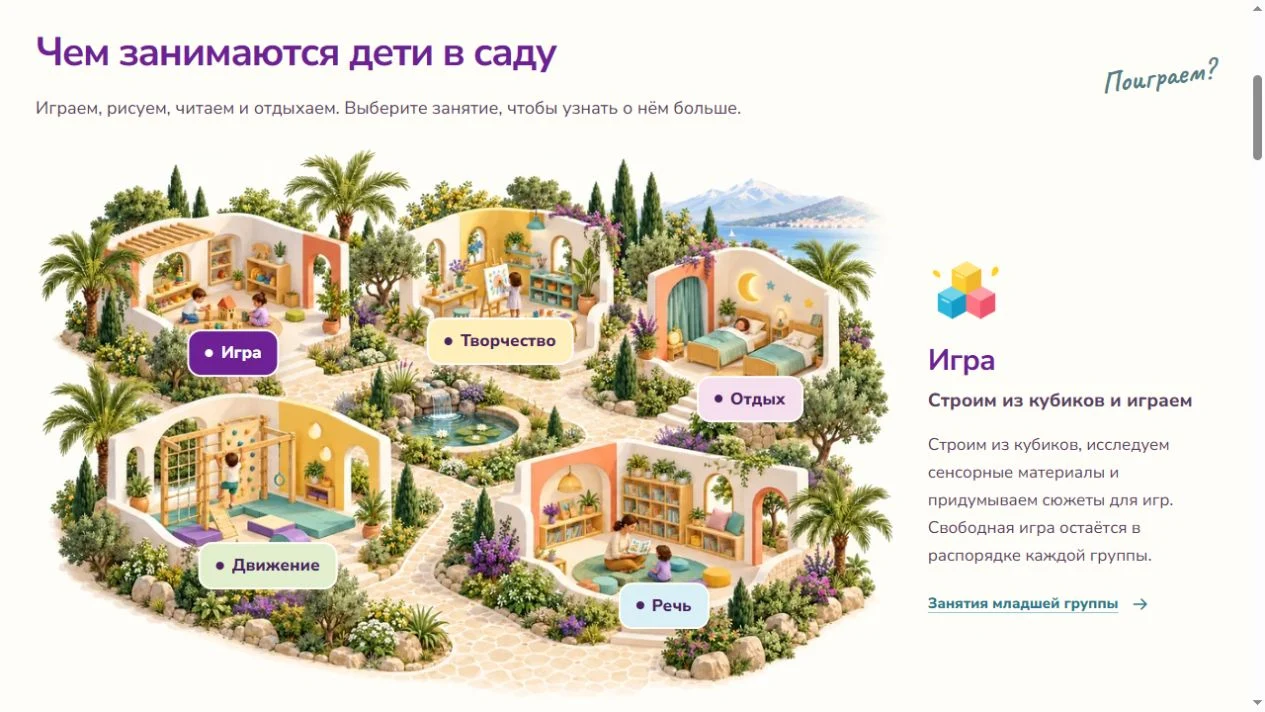
I mapped the routine from morning arrivals to evening play. Parents can pick an activity on the illustrated map to see how it works. Below it, they can read the daily timetable and answers about meals and rest.

A site where families can choose a group and arrange a visit. I also built a workspace for the director to update programs, fees and contact details.
Visit the websiteCan my child attend in the mornings only? How do the first days work? I organized the answers into separate pages for groups, fees, the daily routine and parent questions. Families can find the right page or arrange a visit from the homepage.

The pages pick up the logo's puzzle pieces, colorful shapes and bespectacled rabbit. The rabbit greets parents in the visit section and appears with a book where a section needs to explain what happens next.
I composed a separate collage for phones. The heading, address and visit button stay near the top, with the photos continuing the composition below.

I built separate pages for the younger, middle and older groups. Each page has a program, a video, parent questions and a Monday-to-Friday schedule. Desktop visitors can compare the whole week, while mobile visitors can choose a single day.
Speech development, sensory activities and first group games.
English, an introduction to letters and creative activities.
School readiness, robotics and chess.
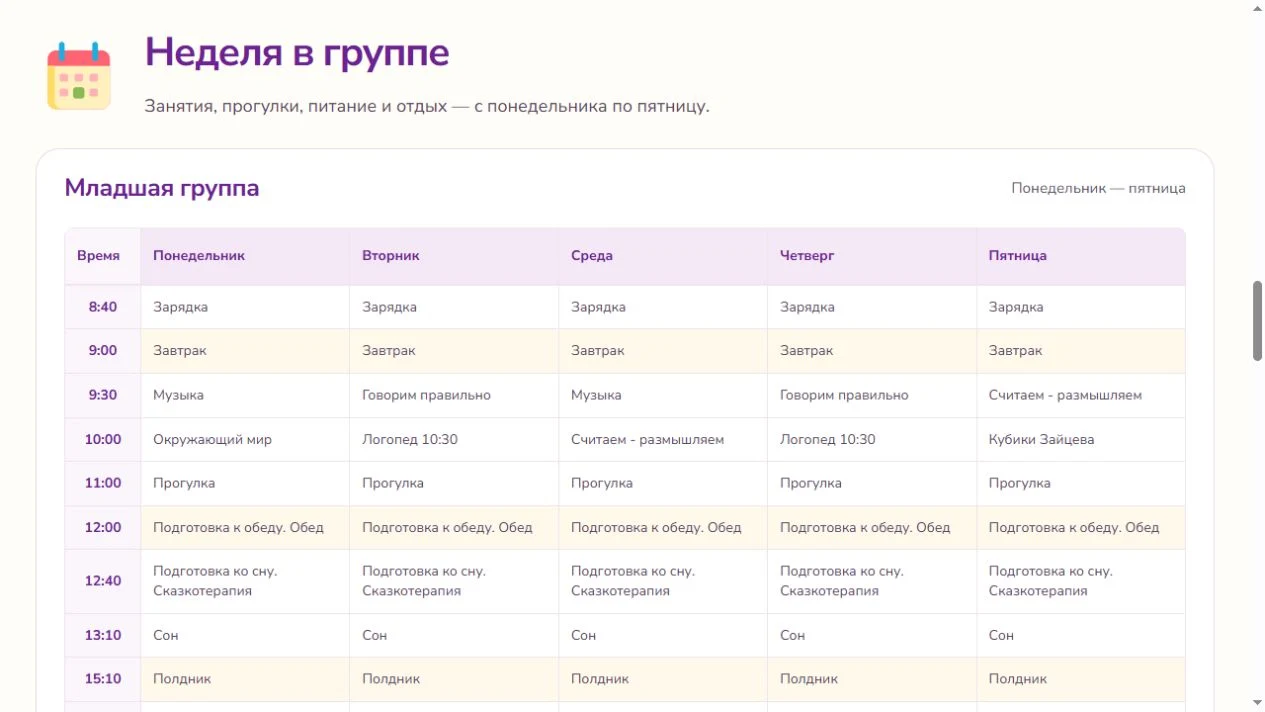
I mapped the routine from morning arrivals to evening play. Parents can pick an activity on the illustrated map to see how it works. Below it, they can read the daily timetable and answers about meals and rest.
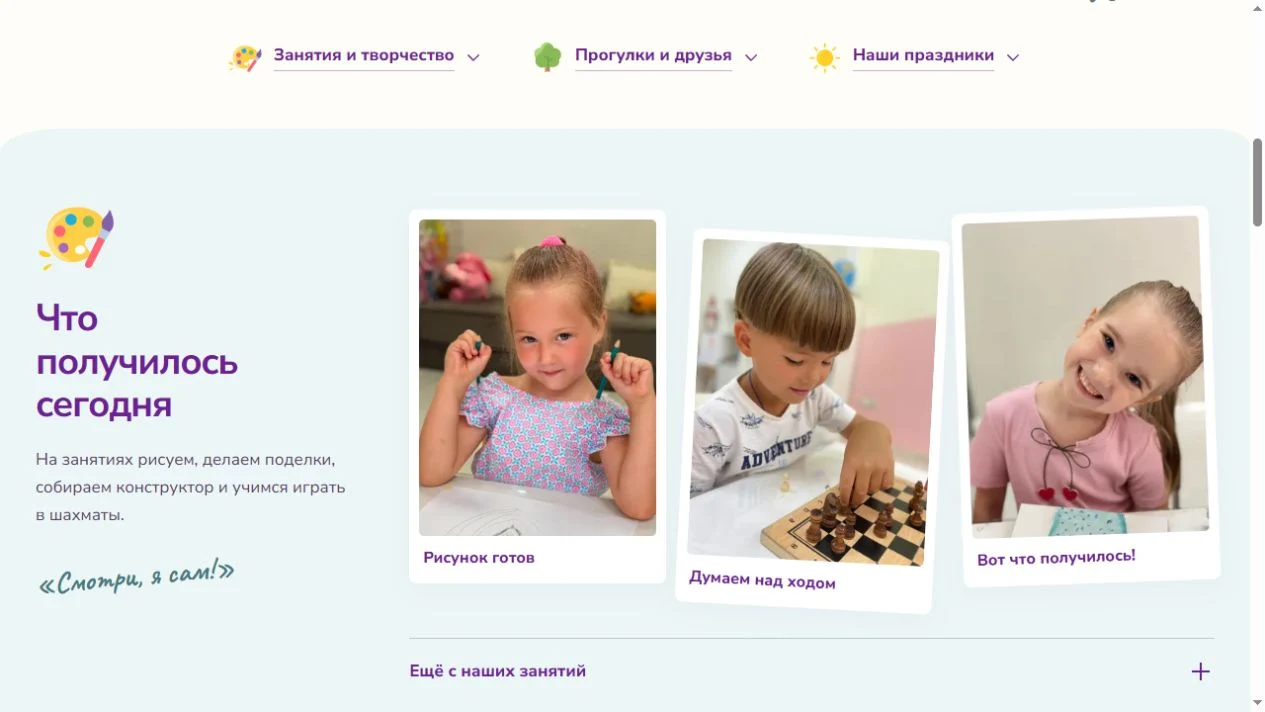
Photos are grouped by activities, outdoor play and celebrations. An initial selection is visible on the page. Families can reveal the remaining photos and open each one at a larger size.
Groups, fees and the daily routine arrive as HTML. Scripts handle specific interactions such as the menu, form and map picker. I prepared a static build from a published content snapshot for design review. The server build supports the CMS, media library and visit requests.
I built an EmDash plugin for fees, group programs, contacts, staff, requests and printable documents. The director changes a part-time fee in one record. Once published, the homepage and fees page both read the updated value.
The workspace uses EmDash's sign-in, media library and drafts. The server checks permissions. The director can edit assigned content while page structure and URLs stay in code.

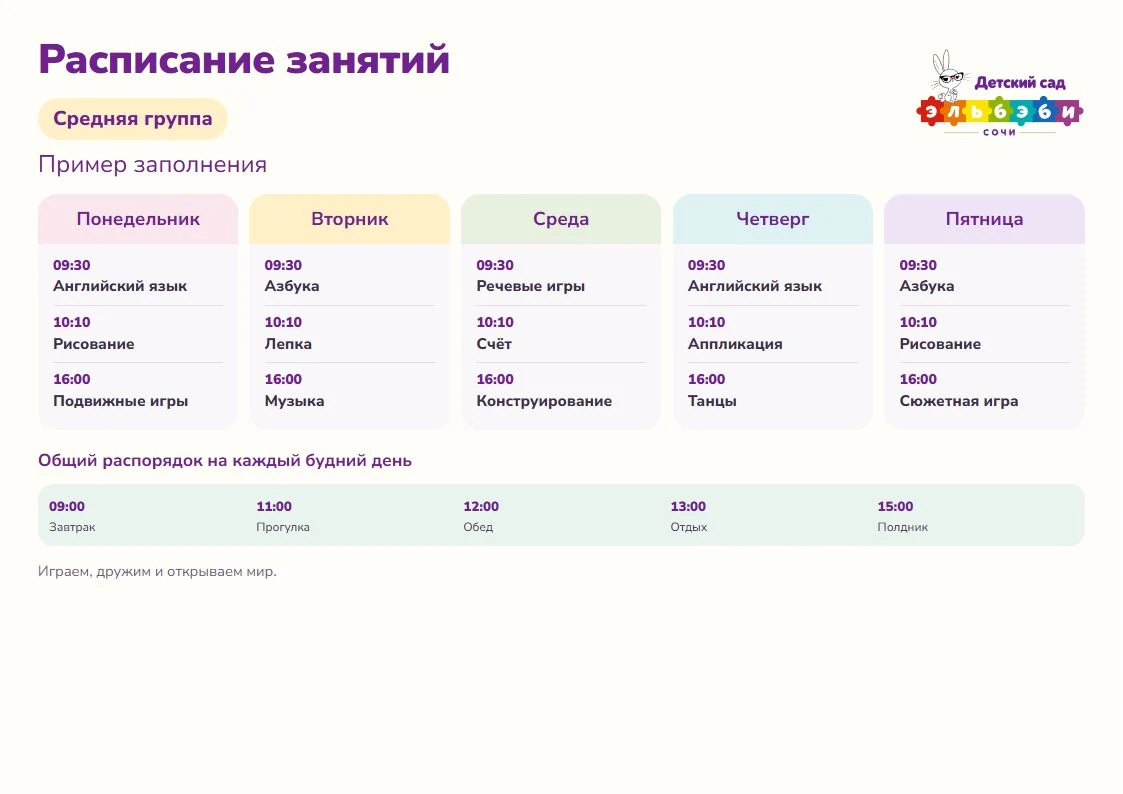
The director chooses a template, fills in its fields and previews the finished sheet before printing it on A4 or saving it as a PDF. Saved documents can be reopened or duplicated for the next period. The templates use the site's logo, typeface, colors and rabbit.
Each weekday has its own column for activities and times. Recurring items such as outdoor time and lunch can be entered once in the shared daily routine.
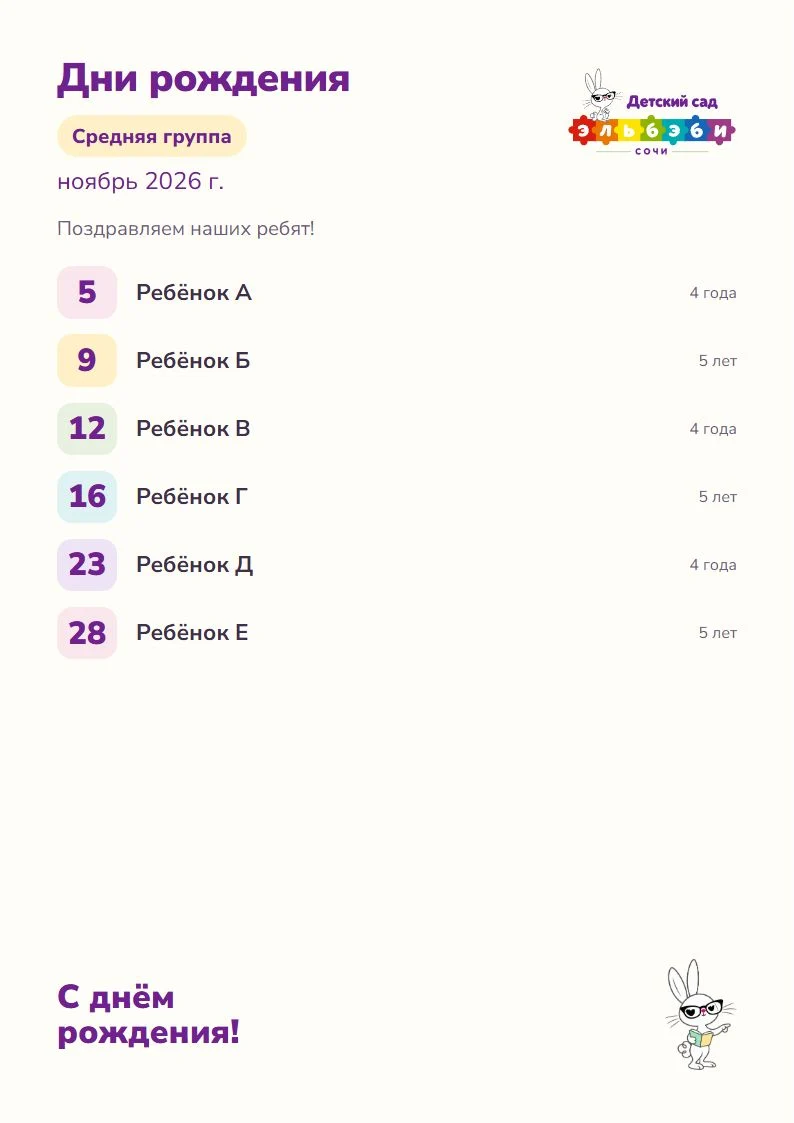
The director chooses a month and group, then enters a name and day. Age is optional. Entries are sorted by date, and long lists continue onto additional sheets.
A third template can pull published fees from the site. Printable documents stay in the private workspace. Saving a sheet does not edit the public timetable.
I brought the business details, license and contract information, privacy policy, separate consent and external service settings into one section. Parents can reach it from the menu or footer.
The visit form includes separate consent beside the name and phone fields to support the site's handling of personal data under Russian Federal Law 152-FZ. Yandex Maps loads after visitors make a choice. They can revisit that setting from the footer.
Families can request a visit with their name and phone number. The server build saves the request and shows it in the director's workspace. New, Contacted and Completed statuses show which visits still need arranging.
Tell me about your programs and how families get in touch. I can propose a site structure and show how your team could maintain it.
Discuss your website